To Log Out (or Sign Out) of the HealthLock Member Portal, follow these steps:
1. Log in to your HealthLock member portal.
NOTE: If you don’t remember your password, click “Did you forget your password?” and follow the prompts to reset it.
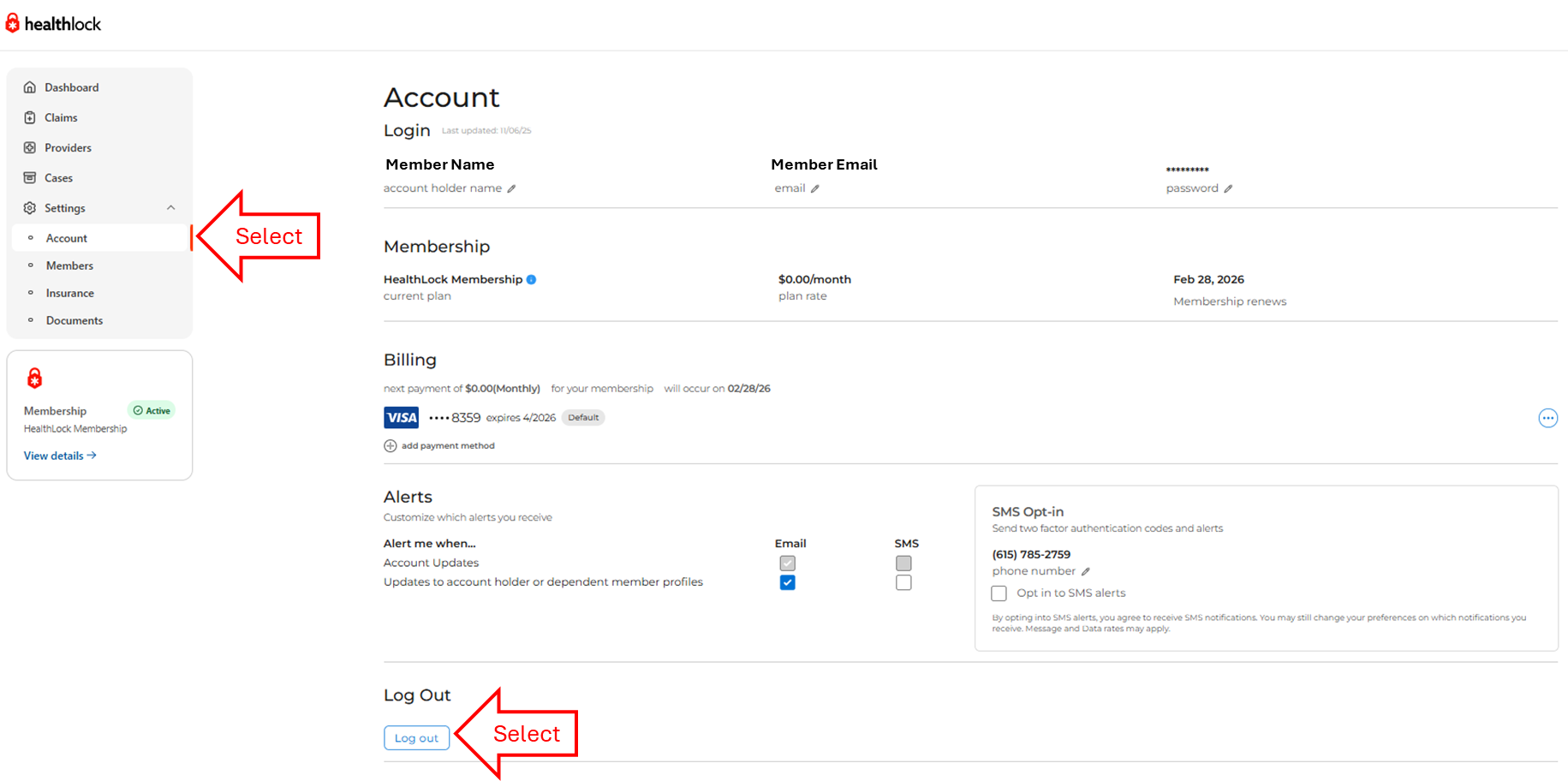
2. Using the left navigation panel on your Dashboard.
Select Settings and when the options are expanded, select Account.
3. Scroll to the Log Out section, then select the Log out button.
Was this article helpful?
That’s Great!
Thank you for your feedback
Sorry! We couldn't be helpful
Thank you for your feedback
Feedback sent
We appreciate your effort and will try to fix the article