To find your BlueCross BlueShield of Massachusetts Username and Password:
1. Go to bluecrossma.org and click the 'Sign in' button.
2. On the SIGN IN TO MYBLUE screen, click the 'Having trouble signing in?' link.
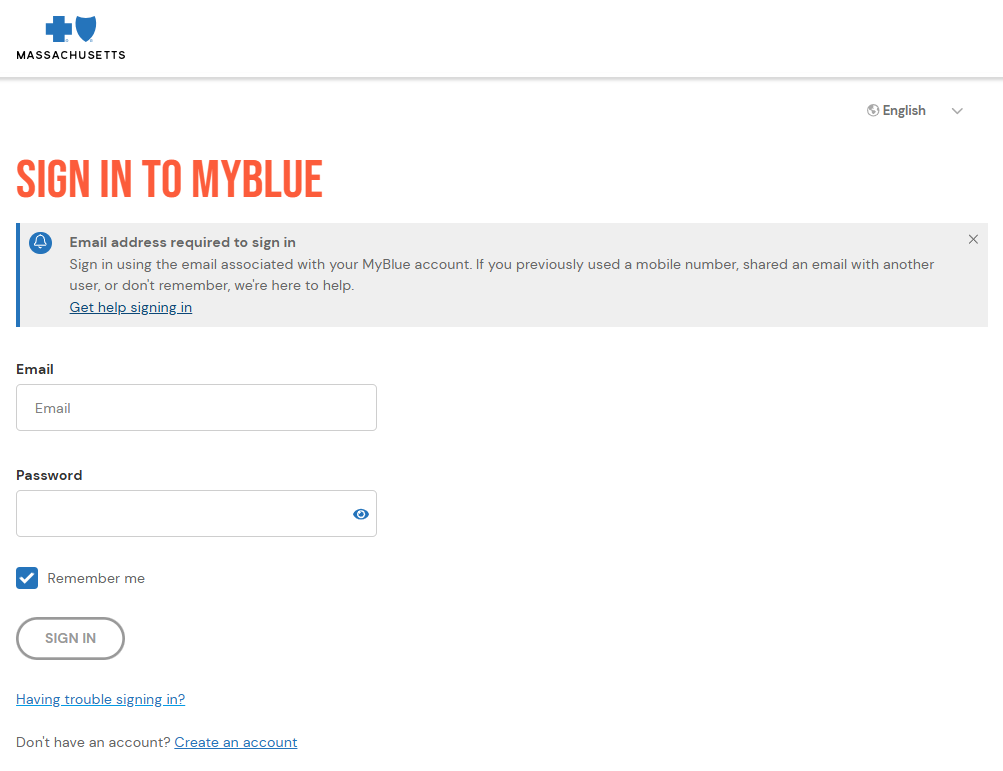
3. On the HAVING TROUBLE SIGNING IN? screen, make a selection from the below options and follow the instructions for each.
- Retrieve your email
- Reset your password
- Recover your account
NOTE: In the NEED HELP? section, members have the option to call Member Services and share your screen for further assistance.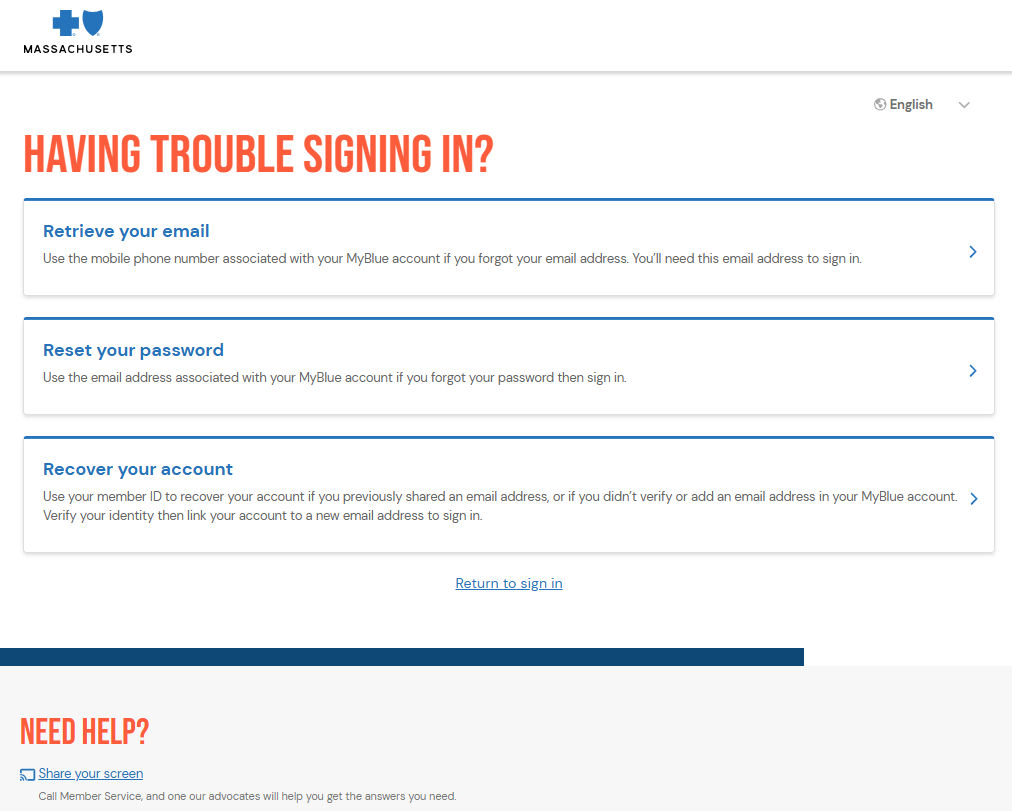
Was this article helpful?
That’s Great!
Thank you for your feedback
Sorry! We couldn't be helpful
Thank you for your feedback
Feedback sent
We appreciate your effort and will try to fix the article